Car Play Link
- 3.5
- Rating
- 500.00K
- Installs
- Free
- Price
 Analysis by App-foxy
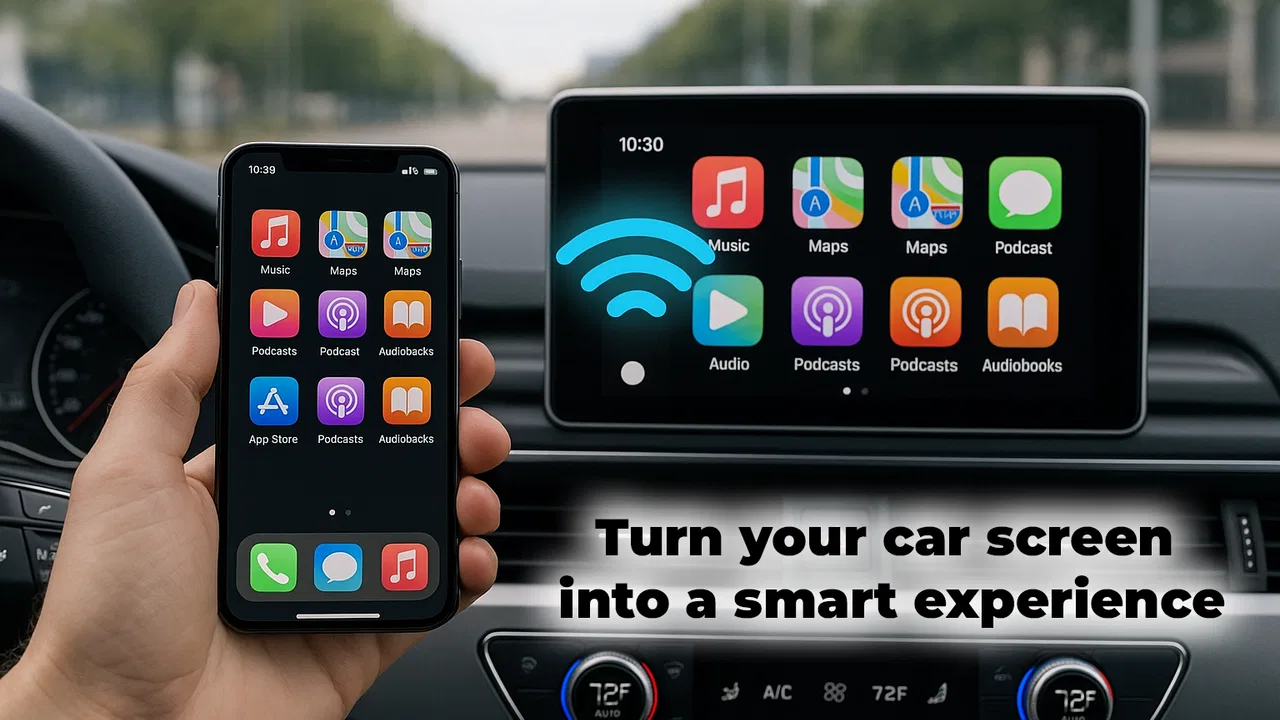
Car Play Link caught my attention because it aims at a very specific everyday problem: making a phone feel more useful on a car display without forcing me to handle the handset constantly. I reviewed it as a free Android app from Flavapp, listed in the Libraries & Demo category, and its appeal is easy to understand during the first few drives. The promise of wireless CarPlay and Android Auto-style features, together with phone mirroring, sounds convenient when the alternative is repeatedly reaching for a phone at the wheel.
My first impression was positive but cautious. The app is not the kind of tool I would install simply to browse around at home. Its value appears when I am preparing to drive, trying to keep navigation visible, or wanting selected phone content available through the car setup. That makes it more practical than entertaining. At the same time, this is a utility whose usefulness depends heavily on the phone, vehicle, display, and connection working together. The novelty is immediate; the question is whether that convenience survives ordinary weekly use.
What the first week feels like
During the first week, the strongest attraction is the change in routine. Instead of treating the phone as a separate object that must be picked up before every trip, I can think of it as the source of a larger in-car interface. That shift is especially appealing for short errands, commuting, and unfamiliar routes. A quick glance at a larger screen is easier to manage than repeatedly checking a handset, and the whole setup feels more purposeful than simply placing the phone in a dashboard holder.
You May Also Like

 Blood Strike: 2.5 Anniversary
Blood Strike’s Loadouts Turn Every Drop Into a Tactical Gamble
A close look at Blood Strike’s custom loadouts: how fast access to signature weapons reshapes its battle royale rhythm, rewards preparation, and narrows the gap between fights.

 Pandora - Music & Podcasts
Pandora’s Music Is Easy to Start, but Harder to Recover
Pandora’s strength is its low-effort path from a seed to a station. Its weak spot is how much confidence it asks you to place in connection, setup, and quiet recovery.

 8 Ball Pool
 Is Built on Rivalries, Rematches, and Routine
A close look at the rivalries, rematches, shared routines, and unanswered safety questions that turn a quick pool match into a persistent mobile community.

 Samsung Music
’s Quiet Strength Is Playing What You Already Own
Its reach comes less from spectacle than from dependable access to a personal library. That simplicity is both the app’s strongest retention engine and its ceiling.

 AccuWeather: Weather Radar
AccuWeather Review: A Quick, Clear Forecast for Everyday Decisions
For everyday plans, the best forecast is the one you can understand quickly. AccuWeather makes rain timing, radar, and local conditions easy to act on, with a few trade-offs.

 Hill Climb Racing
Why Hill Climb Racing Still Turns Crashes Into One More Run
A tiny car, a bumpy hill and one more upgrade: Hill Climb Racing keeps resurfacing because its simple chaos makes every near-miss feel personal.
More From Our News Desk
View All News


The mirroring angle is where Car Play Link feels different from a basic navigation app. A navigation-only alternative is usually simpler and more predictable, but it also keeps the experience limited to maps and directions. This app is aimed at people who want a broader bridge between phone content and the car environment. That extra ambition is useful when I need access to more than one phone-based function, although it also creates more opportunities for compatibility friction.
I would not describe the initial experience as completely effortless. Wireless connections can be sensitive to the order in which devices are started, the car’s own interface, and the phone’s current connection state. When everything lines up, the convenience is clear. When it does not, the first few minutes of a trip can become a troubleshooting session, which is exactly the sort of distraction a driving companion should avoid.
My practical advice is to test the app while parked, not during the first live journey. I would check whether the car recognizes the connection, whether the display responds properly, and whether the controls remain comfortable from the driver’s normal position. This is also the right time to decide which phone functions genuinely help in the car. Mirroring more content is not automatically better; a focused setup is easier to use safely.
One less obvious trade-off is that a larger display can make a phone workflow feel more capable than it really is. Seeing familiar content on the dashboard may encourage me to use features that are better left alone while driving. I found the app more convincing when treated as a way to reduce phone handling, not as permission to reproduce the entire handset experience in front of me.
The app is free, which lowers the barrier to trying it. That matters because compatibility is personal: two people with different cars and phones may have very different first-week experiences. I would rather test a free tool in a stationary car than pay for an adapter or commit to a more elaborate setup before knowing whether the basic connection is dependable.
Car Play Link is aimed at Everyone in its content rating, and that broad rating makes sense for a connectivity utility rather than a game or entertainment service. Still, an age rating does not replace good judgment behind the wheel. The important question is not whether the app is easy to open, but whether its use helps me keep my attention on driving.
The first realistic use case
Imagine leaving home for a grocery run in an unfamiliar part of town. I want directions visible, I do not want to hold the phone, and I may need to switch between a route and another approved in-car function after parking. In that situation, the app has a clear role: prepare the connection before moving, start the journey with the display already arranged, and avoid treating the screen as a second phone to explore while driving.
That workflow shows both the strength and the limit of the product. It can make the start of a trip feel cleaner, but it does not remove the need for planning. If I wait until I am already on the road to establish the connection, the app becomes part of the problem. The best experience comes from making setup a small pre-drive habit.
What remains useful after the novelty fades
After the first week, the question changes from “Can this mirror or connect?” to “Do I use it often enough to justify keeping it?” For me, the recurring value depends on driving frequency and the car’s existing equipment. Someone who drives daily and finds the phone-to-display connection reliable may gain a genuine routine improvement. Someone who only drives occasionally, or whose vehicle already offers everything needed through a stable built-in system, may quickly stop opening it.
The app’s current version is 37.0, and the visible maturity suggested by that version number is encouraging for a tool that sits between a phone and a vehicle. Even so, a version number alone does not guarantee a perfect experience across every combination of hardware. I would judge it by whether it reconnects consistently over repeated trips, not by the number shown in the app listing.
Its average rating is 3.4 from around ten thousand ratings, with roughly two hundred reviews. I read that as a sign of mixed real-world experiences rather than a universal recommendation. A score in that range does not make the app unusable, but it tells me to approach it as a compatibility-dependent utility. The right expectation is “worth testing,” not “guaranteed replacement for the car’s native system.”
The app has passed half a million installs, so it is not an obscure experiment with no audience. That level of adoption makes it easier to understand why people try it, but popularity still does not solve the central issue: my own vehicle and phone determine whether the connection becomes a dependable habit.
Compared with a standard phone holder, Car Play Link can offer a cleaner visual experience and less temptation to pick up the handset. A holder is cheaper in effort and often more predictable, but it leaves the phone physically exposed and may provide a smaller or less integrated view. Compared with a manufacturer-supported car interface, this app is more flexible to try, yet the native option usually has the advantage in consistency and controls designed specifically for that vehicle.
That comparison helped me define where the app earns its place. It is most attractive as a bridge for people whose current setup feels incomplete, not as an automatic upgrade for everyone. If the car already handles the required functions smoothly, adding another layer may create more steps without adding enough daily benefit.
Small habits that make a difference
I found three habits more important than any initial excitement. First, I would establish the connection before shifting into traffic. Second, I would keep the mirrored experience limited to functions that are useful and appropriate for the journey. Third, I would periodically check whether the app is still saving time rather than merely adding another icon to the phone.
A fourth useful habit is to maintain a fallback. If the wireless connection does not start, I would rather know in advance whether I can use the car’s normal interface or a simple phone mount than discover the answer while late for an appointment. This is not a criticism unique to Car Play Link; it is the practical reality of any bridge between two independent devices.
Another non-obvious point is that convenience can be measured by recovery time, not just successful connections. An app that works most days but takes a long time to recover on the bad days may still feel tiring. I would pay attention to how quickly I can return to a safe, usable setup after a failed start. That matters more to a monthly routine than a particularly impressive first demonstration.
For drivers who share a vehicle, the value may also depend on how often the setup changes between phones. A personal car with one regular phone is easier to turn into a habit than a shared vehicle with several users. In the latter case, the app may be useful, but the connection process can become part of the household’s routine rather than a seamless personal shortcut.
Maintenance, friction, and the reasons I might stop using it
Any app that connects a phone to a car carries a maintenance burden. I would need to keep an eye on whether the phone’s operating system, the vehicle display, and the app continue to cooperate after changes. The minimum operating system is Android 6.0, which makes the app accessible to a broad range of Android devices, but broad compatibility should not be confused with identical behavior on every phone.
Maintenance also means remembering that a wireless setup can fail for reasons outside the app itself. A vehicle may not wake the display as expected, the phone may prioritize another connection, or a previous session may not close cleanly. I would not want to spend several minutes resetting things before every drive. If that happens repeatedly, the ordinary alternative may become more attractive simply because it asks less of me.
The main source of fatigue is uncertainty. A navigation app that opens directly and a wired or factory-supported interface that connects predictably can feel better even if they offer fewer possibilities. Car Play Link has to earn trust through repetition. Each successful drive builds confidence; each unexplained failure makes me hesitate before depending on it for an important journey.
There is also a mental-load issue. Mirroring can make it tempting to think of the dashboard as a full extension of the phone. I prefer a restrained approach: use the interface for the task that justifies the drive, set things up while stationary, and avoid experimenting with layouts or functions once moving. If a person wants unrestricted phone access on a larger screen, this is not the right mindset for safe use.
I would also skip the app if the primary need is a guaranteed, manufacturer-supported experience. In that situation, a native vehicle solution or a well-established wired connection is likely the better choice. I would skip it as well if I rarely drive, if my car’s current system already covers my needs, or if I am unwilling to troubleshoot a wireless connection occasionally.
On the other hand, I can see a strong reason to try it when the car feels modern enough for a display-based workflow but lacks the exact phone integration I want. The free price makes that experiment reasonable. The important condition is that the app should reduce handling and preparation, not become another technical project that I maintain for its own sake.
Does it deserve permanent space?
For me, an app earns permanent space when it becomes invisible in the best sense: I use it without thinking, it solves a recurring problem, and it does not demand regular attention. Car Play Link can reach that point for a driver with a compatible setup and a consistent routine. The month-to-month value is strongest when each trip begins with the same simple sequence and the display reliably provides the functions I actually need.
It does not earn that status merely because wireless mirroring sounds impressive. The first-week appeal is easy to feel, but lasting value comes from dependable reconnection, sensible use, and low recovery effort when something goes wrong. If those conditions are met, the app can be a useful bridge between a phone and a car display. If they are not, the novelty will probably fade into occasional testing followed by neglect.
Flavapp’s Car Play Link is therefore best viewed as a practical trial rather than a universal answer. I like the idea of reducing phone handling and bringing a broader phone-based experience into the car. I also appreciate that the free app lets me test that idea without a purchase decision. My reservation is that the benefits are tied closely to the surrounding hardware and to my willingness to maintain the setup.
My final recommendation is straightforward: try it parked, use it for several ordinary trips, and judge the connection by its repeatability rather than its most successful demonstration. Keep it if it makes your daily driving preparation calmer and more consistent. Remove it if the car’s native tools are already better or if troubleshooting becomes part of every journey. The lasting value is not the novelty of mirroring; it is whether the app quietly removes friction from the trips you make every week.
FAQs for Car Play Link
01What is Car Play Link and how does it work?
Car Play Link is an application designed to integrate your smartphone with your car's infotainment system. It enables you to access navigation, music, calls, and messages directly from your vehicle's dashboard. By connecting your phone via USB or Bluetooth, the app mirrors your phone’s interface, allowing for a seamless and safer driving experience.
02Is Car Play Link compatible with all vehicles and smartphones?
Car Play Link is compatible with most modern vehicles equipped with infotainment systems that support smartphone integration. However, compatibility may vary based on the car's make and model, as well as the smartphone's operating system. It is recommended to check the app’s official compatibility list or consult your vehicle’s manual for confirmation.
03What are the primary features of Car Play Link?
The primary features of Car Play Link include navigation integration, music streaming, hands-free calling, and voice-activated messaging. The app provides a user-friendly interface that mirrors your phone’s essential functions on your car's display, enhancing your driving experience by keeping your focus on the road while staying connected.
04Are there any costs associated with using Car Play Link?
Car Play Link may offer a free version with basic features, but advanced functionalities could be part of a premium package requiring a subscription or one-time purchase. It is essential to review the pricing details in the app store description or the app's official website to understand any potential costs before downloading.
05What should I do if Car Play Link doesn't connect to my car?
If Car Play Link fails to connect, ensure that your phone's operating system and the app are updated to the latest version. Check your car's settings to confirm compatibility and verify that the connection method (USB or Bluetooth) is properly set up. Restarting both devices or consulting the app’s support team for troubleshooting tips may also help resolve connectivity issues.
Pros
- Smooth integration with vehicle systems.
- User-friendly interface for easy navigation.
- Supports voice commands for hands-free use.
- Wide range of compatible third-party apps.
- Frequent updates for improved functionality.
Cons
- Requires stable internet for full features.
- Limited customization of the interface.
- Some apps may lag during use.
- Compatibility issues with older car models.
- Can drain phone battery quickly.

Car Play Link
Gallery